









Quick Answer: Anthropic recently shared five practical prompting techniques designed for Claude Fable 5.1 that improve writing quality, control formatting, boost accuracy at lower cost settings, make code edits more efficient, and help AI complete long tasks without unnecessary interruptions. While built for Claude, the underlying principles work just as well with ChatGPT and other AI tools, because good prompt engineering is about being clear, specific, and giving the model concrete examples of what you actually want.
If you’ve ever felt like your AI-generated text sounds a little too “polished” or robotic, or you’ve had to keep nudging an AI tool to finish a task properly, this guide breaks down exactly what Anthropic recommends, in plain language, with real examples of how to actually use each prompt.
AI Overview Paragraph :
Anthropic recently shared five practical prompting techniques for Claude Fable 5.1 that improve writing quality, control formatting, boost accuracy on lower-cost settings, streamline code edits, and help AI finish tasks without unnecessary interruptions. These prompts fix common frustrations like overly decorative AI writing, outdated answers on budget settings, and AI rewriting entire files for small changes. While built for Claude AI, the underlying principles work just as well with ChatGPT and other AI tools, since good prompt engineering relies on clarity and specificity rather than anything platform-specific. The core idea is simple: how you instruct an AI model directly shapes the quality of what it returns.
Key Points:
- Anthropic shared 5 power prompts for Claude Fable 5.1, covering writing style, formatting, search accuracy, code edits, and task completion.
- The “mannered prose” fix helps stop AI from using unnecessary decorative language instead of direct, plain statements.
- On lower-cost model settings, explicitly asking AI to search and verify information prevents outdated answers on fast-changing topics.
- Developers can save time by asking AI to make targeted code edits instead of rewriting entire files.
- These techniques aren’t Claude-exclusive, the same clarity-first principles improve results on ChatGPT and other AI tools too.
- Good prompt engineering comes down to being specific, showing examples, and never assuming the AI already knows what “good” looks like.
What Did Anthropic Actually Announce?
Anthropic recently published a set of prompting upgrades specifically built for its newer model, Claude Fable 5.1, aimed at helping users save on token costs, get better writing and coding output, and extract stronger performance even from cheaper, lower-effort model settings, according to Search Engine Journal’s coverage of the announcement.
What makes this genuinely useful, though, isn’t just for Claude AI users. The techniques Anthropic shared are built on prompting principles that apply broadly, meaning ChatGPT users, Gemini users, and anyone working with AI prompts day to day can benefit from the same underlying logic, even if the exact wording needs slight tweaking for a different tool.
Quick Primer: What Is Prompt Engineering?
Before diving into the specific prompts, it helps to understand the bigger idea behind all of this.
Prompt engineering is simply the practice of writing instructions for an AI model in a way that consistently produces better, more accurate, and more useful results. It’s less about “tricking” the AI and more about communicating clearly, the same way giving a new employee a vague instruction versus a detailed one leads to very different outcomes.
As AI tools become part of daily work, writing, coding, research, customer support, prompt engineering has quietly become a practical skill worth learning, not just a technical buzzword reserved for developers.
The 5 Power Prompts Anthropic Shared
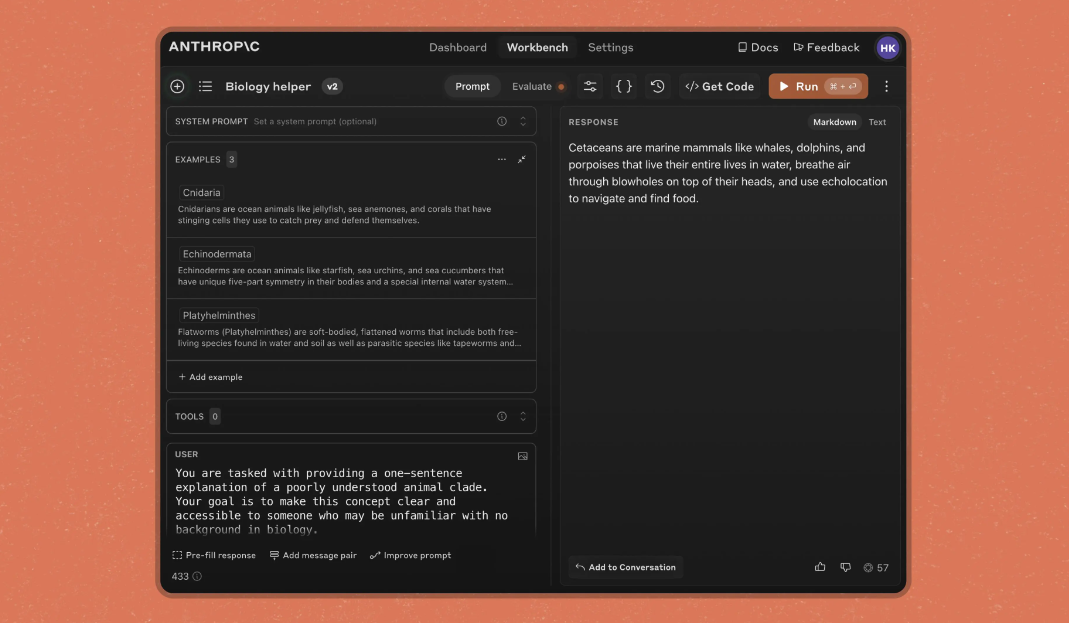
Here’s each technique broken down in simple terms, along with what problem it actually solves.
1. Fixing Robotic, Over-Decorated AI Writing
AI-generated text sometimes leans on unnecessary metaphors and flourishes instead of just saying things directly, Anthropic refers to this pattern as “mannered prose.” Instead of writing plainly, the model might dress up a simple idea in fancier language that sounds impressive but adds no real value.
The fix is refreshingly simple: tell the AI what kind of writing you don’t want, show an example of that pattern, and then ask for direct, literal language instead. Even a short instruction like asking the model to avoid decorative phrasing and stick to plain statements can noticeably clean up the output.
2. Taking Control of Formatting (Bold, Bullets, Headers)
Newer AI models sometimes use less automatic formatting than older versions, fewer bullet points, less bold text, fewer headers by default. If your workflow depends on a specific structure, it’s worth explicitly telling the AI when to use formatting and when to stick to plain paragraphs, especially for conversational or personal-sounding responses where heavy formatting can feel unnatural.
3. Getting More Accurate Answers on Lower-Cost Settings
Many AI platforms, including Claude, offer different performance or “effort” levels, with lower settings costing less but sometimes relying more on the model’s internal memory instead of actively searching for current information. This becomes risky with names, tools, or topics from fast-moving fields like AI itself, where information changes within months.
The workaround: explicitly instruct the AI to search and verify information whenever it’s dealing with something from a rapidly evolving space, rather than assuming its built-in knowledge is current, even if the topic feels familiar.
4. Smarter Code Edits Instead of Full File Rewrites
For anyone using AI to help with code, including WordPress developers tweaking CSS or PHP files, this prompt solves a common annoyance: AI tools sometimes rewrite an entire file when only a small change was needed. Asking the model to make the smallest necessary edit instead of regenerating the whole file saves time, tokens, and reduces the risk of accidentally breaking something that was already working.
5. Making AI Finish the Whole Task Without Constant Check-Ins
One frustrating pattern with AI assistants is getting interrupted mid-task with unnecessary permission requests, “Should I continue?” or “Want me to proceed?”, when the instructions were already clear. This prompt tells the AI to keep working autonomously on reversible, already-approved actions, and to only pause when it hits something genuinely destructive or a real change in scope, rather than stopping out of excessive caution.
Quick Reference: The 5 Power Prompts at a Glance
| Prompt | What It Fixes | Best For |
| Writing Density | Overly decorative, “robotic” AI writing | Content writers, copywriters, bloggers |
| Formatting Control | Unwanted bold, bullets, or headers | Conversational or personal-sounding replies |
| Low-Effort Search Trigger | Outdated answers on cheaper model settings | Budget-conscious users, fast-changing topics |
| Targeted Code Edits | AI rewriting entire files for small changes | Developers, WordPress users |
| Finish the Whole Task | Constant unnecessary permission requests | Long, multi-step workflows and automation |
Do These Prompts Work on ChatGPT and Other AI Tools Too?
Yes, and this is the part worth paying attention to if you’re not a Claude AI user specifically.
None of these five techniques rely on something unique to Anthropic’s models. They’re built on universal prompt engineering principles: being explicit about what you want, showing contrasting examples, and removing ambiguity that could lead to inconsistent results. That means chatbot prompts built around the same logic, clear writing instructions, explicit formatting rules, and instructions to verify rather than assume, tend to produce noticeably better results too.
If you’re looking for ready-to-use examples built specifically for each platform, it’s worth checking out a practical collection of Claude prompts or a similarly detailed set of ChatGPT prompts, both apply these same clarity-first principles to real, everyday use cases.
How to Actually Use These Prompts (Step-by-Step)
Reading about a good prompt and actually using it effectively are two different things. Here’s a simple way to put these into practice:
- Pick one problem at a time. Don’t try to fix writing style, formatting, and task completion all in one giant prompt, start with whichever issue bothers you the most.
- Add the instruction to your system prompt or custom instructions. Most AI tools, including Claude AI and ChatGPT, let you save standing instructions so you don’t have to repeat them every time.
- Test it on a real task, not a hypothetical one, the difference becomes obvious much faster when you’re solving an actual problem.
- Adjust the wording if needed. Prompt engineering is rarely perfect on the first try; small wording changes often produce noticeably different results.
- Keep a personal prompt library. Save the versions that worked well so you’re not rewriting them from scratch every time.
If writing these prompts from scratch feels tedious, a dedicated AI prompt generator can help structure clearer, more effective prompts without needing to master prompt engineering theory first.
Why This Matters for Businesses Using AI Content Tools

For businesses relying on AI for content, marketing copy, or customer communication, prompt quality directly shapes output quality, vague instructions tend to produce generic, forgettable content, while specific, well-structured prompts produce something closer to what a skilled writer would deliver.
A well-structured prompt typically includes:
- A clear statement of the task, without ambiguity
- An example of what you don’t want, alongside what you do want
- Specific formatting or length instructions where relevant
- Context about the audience or purpose of the content
- A way to verify or fact-check anything time-sensitive
This is exactly the kind of detail that separates AI-assisted content that actually performs well from content that reads like it was rushed. If you’d rather have this handled professionally, teams like Digimastreys work directly with these prompt engineering principles to produce content built for both readers and search visibility, rather than generic AI output.
Bottom Line
Anthropic’s power prompts aren’t really about Claude AI exclusively, they’re a practical reminder that how you talk to an AI model directly shapes what you get back. Whether you’re using anthropic claude, ChatGPT, or any other anthropic ai product, the same core habits apply: be specific, show examples, and don’t assume the model already knows what “good” looks like for your particular task. Prompt engineering isn’t a niche technical skill anymore, it’s quickly becoming as basic and useful as knowing how to phrase a good Google search.
Frequently Asked Question
What are Anthropic’s power prompts?
They’re a set of prompting techniques shared by Anthropic for Claude Fable 5.1 that improve writing quality, control formatting, boost accuracy on cheaper settings, streamline code edits, and help the AI complete tasks without unnecessary interruptions.
What is Claude Fable 5.1?
Claude Fable 5.1 is one of Anthropic’s AI models, part of its Mythos-tier lineup, designed with additional safety considerations alongside strong performance across writing, coding, and reasoning tasks.
Do these prompts work with ChatGPT?
Yes. While written for Claude AI, the core ideas, clarity, explicit examples, and reducing ambiguity, are universal prompt engineering principles that improve results on ChatGPT and other AI tools as well.
What is prompt engineering?
Prompt engineering is the practice of writing clear, specific instructions for AI models to consistently get more accurate, useful, and relevant responses, rather than relying on vague or generic requests.
How can I write better AI prompts?
Be specific about what you want, show an example of what to avoid alongside what you’d prefer instead, and test your prompt on a real task so you can refine the wording based on actual results.

Vikas Verma is an SEO specialist and web designer focused on SEO strategy, website design, and digital experiences.