










Alexa is Amazon’s voice assistant that works through Echo speakers and connected smart home devices, letting you control lights, locks, and thermostats, play music, set reminders, and get quick answers, all hands-free. In 2026, Alexa+ has made it far more conversational, letting it understand natural phrasing and remember context across a conversation instead of needing exact commands. It works across Echo devices, the Alexa mobile app, and connected third-party gadgets like Fire TV, smart bulbs, and security cameras. Basic commands include checking the time, setting timers, and asking general questions, while advanced use covers smart home routines, productivity tools, and even kids’ games. Alexa also has a playful side, with dozens of funny and Easter-egg responses built in. For most households, a handful of daily-use commands cover 90% of what people actually need Alexa for.
Key Points:
- Alexa runs on Echo devices and connects via Wi-Fi to Amazon’s cloud.
- Alexa+ (2026) adds conversational understanding and short-term memory.
- Works across smart home devices, Fire TV, and the Alexa app.
- Basic commands cover time, alarms, timers, and general questions.
- Smart home commands control lights, locks, thermostats, and cameras.
- Alexa also supports kids’ games, jokes, and Easter-egg responses.
- Privacy is managed through the Alexa app under Voice History settings.
If you’ve had an Echo speaker sitting on your kitchen counter for a while, chances are you’re only using it for two things: checking the weather and setting a timer for your Maggi. Fair enough, but Alexa can do a lot more than that, especially now that Amazon has rolled Alexa+ into more devices this year, giving it a far more natural, conversational personality than the “robotic assistant” we all got used to.
This guide is a straight-up, no-fluff list of the Alexa commands that are actually worth knowing in 2026, from the basics you should have memorized on day one, to smart home control, music, productivity, kids’ entertainment, and the weird, funny stuff that makes Alexa genuinely fun to have around. Whether you’re commanding it through an Echo Dot, the Alexa app on your phone, or a connected Fire TV, this list works across the board.
What’s New in Alexa Commands for 2026
Before the command list, it’s worth understanding what’s actually changed. A lot of “Alexa command” guides online are still written for the old Alexa, the one that needed exact phrasing or it would just say “Sorry, I don’t understand that.” That’s not really how it works anymore.
Alexa+ has made commands far more conversational. You don’t have to say things in a rigid, robotic order anymore. Instead of “Alexa, set a timer for pasta for 10 minutes,” you can now just say something like “Alexa, I just put the pasta on, remind me in 10” and it’ll figure out the intent. Alexa+ can also hold context across a conversation, so if you ask “what’s the weather today?” and follow up with “what about tomorrow?”, it knows you’re still talking about the weather in your city, not starting a new question from scratch.
A few other genuinely useful upgrades this year:
- New voice options: Alexa now offers a handful of new, more natural-sounding voices you can switch between in the app (Settings → Device Settings → Alexa’s Voice), instead of the one default tone everyone’s been hearing for a decade.
- Memory: you can ask Alexa to remember specific personal details (like a loyalty number, your child’s school timing, or your car’s number plate) and recall them later in conversation, without repeating yourself.
- Smarter smart home routines: Alexa can now infer intent instead of needing an exact device name. Saying “I’m cold” can trigger your thermostat routine even if you never said the word “heater.”
If your Echo hasn’t been updated in a while, it’s worth checking the app for the Alexa+ rollout in your region before working through the list below, some of these commands only work on the newer conversational engine.
Basic Alexa Commands List
These are the commands every Alexa owner should know cold. No smart home setup required, these work on any Echo device out of the box.
| What You Want | What to Say |
| Wake Alexa up | “Alexa” (or “Echo,” “Computer,” or “Amazon,” depending on your wake word setting) |
| Stop Alexa mid-response | “Alexa, stop” |
| Mute the mic | “Alexa, mute” / “Alexa, unmute” |
| Adjust volume | “Alexa, volume up” / “Alexa, set volume to 5” |
| Check the time | “Alexa, what time is it?” |
| Check the date | “Alexa, what’s today’s date?” |
| Set a timer | “Alexa, set a timer for 15 minutes” |
| Set an alarm | “Alexa, wake me up at 7 tomorrow” |
| Ask what Alexa can do | “Alexa, what can you help me with?” |
| Get a quick overview | “Alexa, help“ |
Pro tip: if you have more than one Echo device in the house, you can rename them by room in the Alexa app. It sounds like a small thing, but it makes commands like “play music in the bedroom” actually possible.
Best Alexa Commands for Smart Home Control
This is where Alexa genuinely earns its place in your home, once you’ve connected lights, plugs, thermostats, locks, or cameras, voice control stops being a gimmick and starts being a habit.
- “Alexa, turn on the living room lights”
- “Alexa, dim the bedroom lights to 40%”
- “Alexa, turn the lights to warm white”
- “Alexa, set the temperature to 24 degrees”
- “Alexa, lock the front door”
- “Alexa, is the back door locked?”
- “Alexa, show me the front door camera”
- “Alexa, turn off all the lights”
- “Alexa, turn off the fan in 20 minutes”
- “Alexa, discover my devices” (used after adding a new smart plug or bulb)
- “Alexa, turn on movie mode” (if you’ve set up a custom scene/routine)
- “Alexa, I’m leaving” (great if you’ve linked this to a security routine)
- “Alexa, good night” (turns off lights, locks doors, and lowers the thermostat if you’ve set up the routine)
If you’re setting this up for the first time, the trick isn’t the commands, it’s grouping. Go into the Alexa app, group your devices by room, and give each one a name a human would actually use (“Reading Lamp,” not “Smart Plug 2”). It genuinely changes how usable this whole section becomes.
If you’re still figuring out which lights, locks, or plugs are actually worth buying for an Alexa setup, Digimastreys has a running series of smart home buying guides that’s worth checking before you commit to a brand.
Commands for Alexa: Music, Radio & Entertainment
Whether you’re on Amazon Music, Spotify, or a local radio station, these commands cover almost every listening scenario.
- “Alexa, play some music”
- “Alexa, play [song/artist/album] on Spotify”
- “Alexa, play the top hits playlist”
- “Alexa, skip this song” / “Alexa, go back”
- “Alexa, play music in the kitchen” (multi-room audio)
- “Alexa, play music everywhere”
- “Alexa, what’s playing right now?”
- “Alexa, set a sleep timer for 30 minutes”
- “Alexa, play [audiobook title] on Audible”
- “Alexa, resume my book”
- “Alexa, pause” / “Alexa, next chapter”
- “Alexa, play [show] on Fire TV”
- “Alexa, what’s currently playing on Fire TV?”
- “Alexa, open Netflix on Fire TV”
- “Alexa, play the news”
- “Alexa, play my Flash Briefing”
If you’ve got an Echo connected to a Fire TV, this combo is genuinely one of the more underrated setups, you can search, pause, and switch inputs entirely by voice, which is handy when the remote has, inevitably, disappeared into the couch.
Productivity & Daily Life Commands
This is the category most people never fully explore, and it’s honestly where Alexa saves the most time day to day.
- “Alexa, add milk and bread to my shopping list”
- “Alexa, what’s on my shopping list?”
- “Alexa, remind me to call the electrician at 6 PM”
- “Alexa, what are my reminders for today?”
- “Alexa, add a dentist appointment to my calendar for Friday at 4”
- “Alexa, what’s on my calendar today?”
- “Alexa, create a to-do list”
- “Alexa, message [contact name]”
- “Alexa, call [contact name]” (works between Echo devices or via the Alexa app)
- “Alexa, send an SMS to [contact]”
- “Alexa, what’s the traffic like to [location]?”
- “Alexa, remember my flight number is [XX123]” (Alexa+ memory feature)
- “Alexa, what did I ask you to remember about my flight?”
A small but genuinely useful habit: use named reminders. “Alexa, remind me to take the medicine at 9” is fine, but “Alexa, set a medicine reminder for 9 PM every day” turns it into a routine you don’t have to repeat.
Alexa Games for Kids
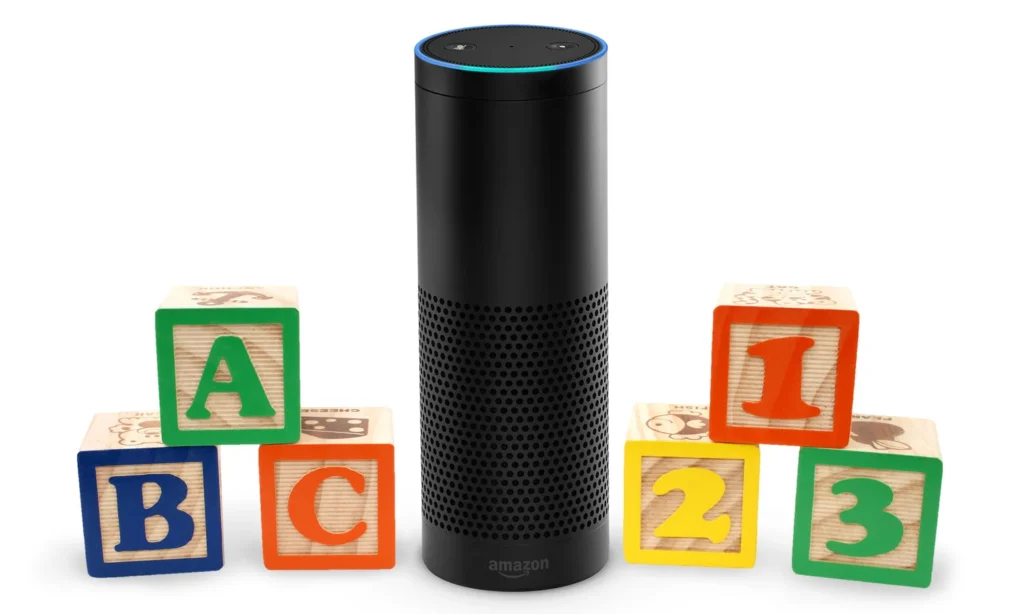
This is one of the most underused sides of Alexa, and honestly one of the best if you’ve got kids at home who need five minutes of screen-free entertainment.
- “Alexa, open Animal Sounds”
- “Alexa, tell me a bedtime story”
- “Alexa, play a lullaby”
- “Alexa, what sound does a lion make?”
- “Alexa, start a kids’ quiz”
- “Alexa, open Wizard of Oz Trivia”
- “Alexa, let’s play 20 Questions”
- “Alexa, tell me a fun fact”
- “Alexa, sing the alphabet song”
- “Alexa, play a math quiz”
- “Alexa, open Would You Rather”
- “Alexa, tell a knock-knock joke”
If the Echo device is in a kid’s room or a shared family space, it’s worth turning on FreeTime or the kid-safe content filter in the Alexa app first, this keeps the trivia, jokes, and stories age-appropriate without you having to vet every response.
Funny Things to Ask Alexa
Alexa has a genuine sense of humor built in, and it’s worth exploring purely for entertainment — no smart home setup or third-party app needed.
- “Alexa, tell me a joke”
- “Alexa, tell me a dad joke”
- “Alexa, sing me a song”
- “Alexa, beatbox for me”
- “Alexa, rap for me”
- “Alexa, what’s your favorite color?”
- “Alexa, do you have a boyfriend?”
- “Alexa, what do you think of Siri?”
- “Alexa, pretend to be a cat”
- “Alexa, how much wood could a woodchuck chuck?”
- “Alexa, tell me a limerick”
- “Alexa, can you rap?”
Most of these change their answer randomly each time, so asking the same one twice usually gets you a different joke or a completely different personality quirk — worth doing at a house party just to see people’s reactions.
Weird (and Downright Strange) Things to Ask Alexa
These are less about being funny and more about Alexa’s odd, scripted Easter eggs — usually pop-culture references or oddly philosophical answers that catch people off guard.
- “Alexa, open the pod bay doors”
- “Alexa, are you SkyNet?”
- “Alexa, what is the meaning of life?”
- “Alexa, what is your quest?”
- “Alexa, set phasers to stun”
- “Alexa, beam me up”
- “Alexa, what’s the first rule of Fight Club?”
- “Alexa, surely you can’t be serious”
- “Alexa, my name is Inigo Montoya”
- “Alexa, do you dream?”
- “Alexa, are you alive?”
- “Alexa, what happens when you die?”
A lot of these were written by Amazon’s writing team specifically as pop-culture nods, so if you’re a movie or sci-fi fan, there’s a decent chance a favorite reference is hiding in there. Worth trying a handful just to see which ones land.
Alexa Commands for Health, Sports & Quick Facts
Alexa doubles as a decent quick-reference tool when you don’t want to pick up your phone.
- “Alexa, what’s the score of the [team] match?”
- “Alexa, did [team] win yesterday?”
- “Alexa, when do [team] play next?”
- “Alexa, define [word]”
- “Alexa, how do you spell [word]?”
- “Alexa, Wikipedia [topic]”
- “Alexa, tell me more” (continues the Wikipedia summary)
- “Alexa, how many calories in a banana?”
- “Alexa, what’s 45 times 12?”
- “Alexa, convert 5 kilometers to miles”
- “Alexa, how many steps did I walk today?” (if paired with a fitness tracker)
- “Alexa, what’s my heart rate?” (with a connected wearable)
None of this replaces an actual doctor or a real fitness app, but for quick facts and unit conversions while you’re cooking or working out, it’s genuinely faster than typing.
Troubleshooting: When Alexa Does not Respond
Every Alexa owner hits this eventually, you say the wake word and get silence. Before you assume the device is broken, run through these quickly:
- Check the mic isn’t muted. A solid red ring means the microphone is off. Say “Alexa, unmute” or press the mute button on top of the device.
- Confirm your Wi-Fi is actually connected. Open the Alexa app → Devices → your Echo → check the connection status. A weak or dropped connection is the most common cause of “Alexa just isn’t hearing me.”
- Reduce background noise. TVs, fans, and multiple people talking at once genuinely do interfere with wake-word detection, it’s not just in your head.
- Re-link a misbehaving skill. If a specific skill (say, a smart lock or a music service) stops responding, go into the app and disable/re-enable it. This fixes more issues than it should.
- Restart the device. Unplug it for 10 seconds, plug it back in. Old-school, but it clears out most temporary glitches.
- Update the Alexa app and device firmware. Especially relevant this year, Alexa+ features roll out in phases, so an outdated app can mean you’re missing commands that work fine for other users.
If none of that works, Amazon’s own support chat is usually faster than waiting for a phone callback.
Wrapping Up
Alexa in 2026 is not the same assistant it was even two years ago. The Alexa+ upgrade genuinely makes conversations feel less like repeating a script and more like talking to someone who remembers what you told it five minutes ago. Whether you are using it to run your smart home, get through your to-do list, entertain the kids, or just ask it something ridiculous for a laugh, the commands above cover pretty much everything you’ll actually use day to day.
Bookmark this page as Alexa+ keeps rolling out new features through the rest of the year, it’s worth coming back to see what’s been added. And if you’re setting up a smart home from scratch and want it to actually talk to Alexa properly, the team at Digimastreys regularly breaks down which smart devices are worth buying and how to get the most out of them, worth a look before you buy your next smart plug or camera.

Vikas Verma is an SEO specialist and web designer focused on SEO strategy, website design, and digital experiences.