








Google Platform Properties are a new Search Console feature that lets you track how your Instagram, TikTok, X, and YouTube content performs in Google Search. Google confirmed on July 29, 2026, that the feature is now globally available to everyone. If you post on any of these platforms, you can now see exactly how Google Search sends traffic to that content.
This matters because most creators and marketers have never had a clean way to see this. Website owners have used Search Console for years to check clicks, impressions, and queries. Social and video content never had that same visibility inside Google’s own reporting tools, until now.
What Are Google Platform Properties?
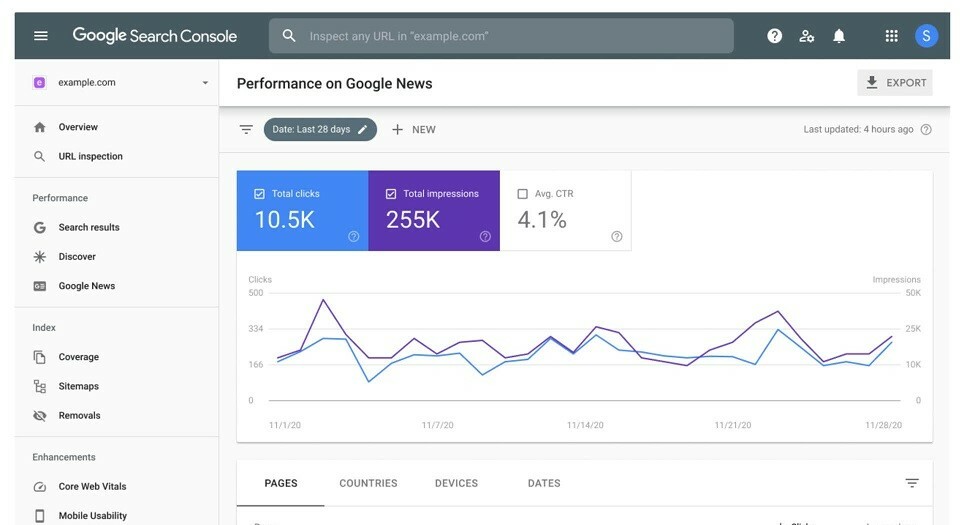
Google Platform Properties are verified accounts, added inside Search Console, that let you monitor how your content on Instagram, TikTok, X, or YouTube appears and performs in Google Search results. Once verified, you get the same kind of Performance and Insights reports that website owners already use, but built around your social profile or channel instead of a domain.
This is different from a standard website property. A website property tracks pages on a domain you own. A platform property tracks a profile or channel you manage on a third-party platform, based on the account you verify.
Why This Rollout Matters Right Now
Google first announced platform properties earlier in July 2026 as a limited feature. According to Search Engine Roundtable, <cite index=”9-1″>Google stated that platform properties are now globally available to everyone</cite>. Alongside the rollout, Google also published a new help guide explaining how to use the data.
This shift reflects a broader change in how people search. Google increasingly surfaces short videos, recent social posts, and “what people are saying” style results directly inside Search, not just traditional web pages. Platform properties give creators a way to measure that visibility instead of guessing at it.
Which Platforms Are Supported
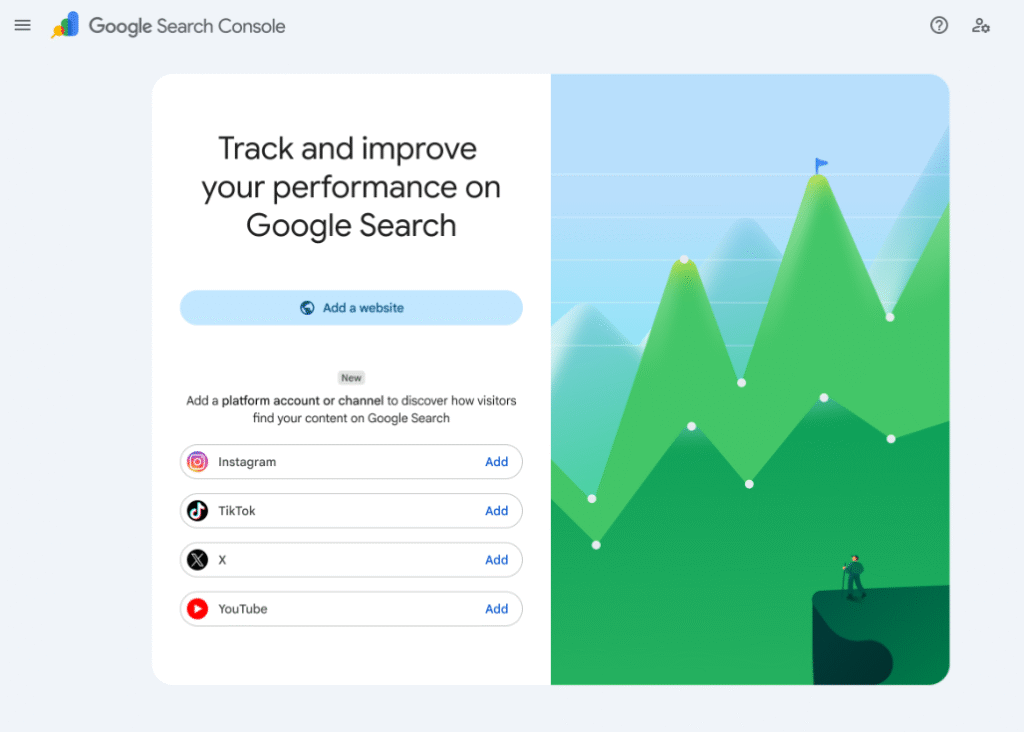
At launch, platform properties cover four major platforms:
- YouTube – channels and individual videos, including Shorts
- TikTok – profiles and individual videos
- Instagram – profiles, including posts and Reels
- X (formerly Twitter) – profiles and posts
If you manage content across more than one of these platforms, you can add each one as a separate property and compare performance side by side.
How to Add a Platform Property in Search Console
Setting one up takes only a few steps.
- Go to Search Console and select Add Property.
- Choose the Platform property option from the menu.
- Select the platform (YouTube, TikTok, Instagram, or X) and enter your account or channel details.
- Verify ownership using the method Google provides for that platform.
- Wait for data to populate, then open the Insights or Performance report for that property.
Tip: If you have already claimed your Search profile through Google’s profile-claiming feature, your verified accounts may be added automatically. In that case, you can skip straight to reviewing the data inside Search Console.
What Data You Actually Get
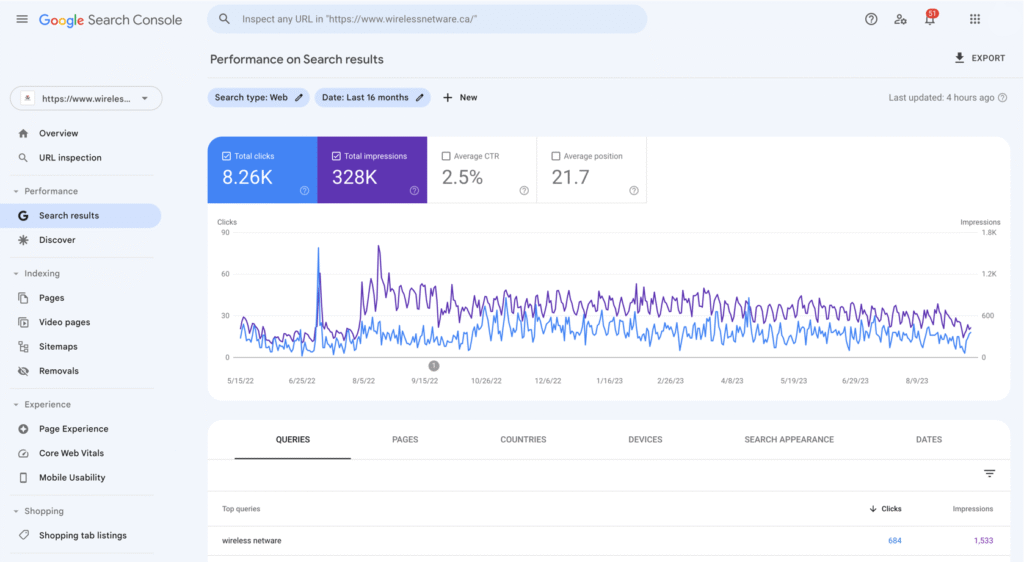
Once a platform property is verified, Search Console gives you two main views.
The Insights report gives a simplified overview:
- Traffic trends over the last 28 days
- Your top-performing posts or videos
- The search terms people use to find your content
- The countries your audience is coming from
The Performance report goes deeper. You can filter by country, date range, device, or specific search terms, and compare content using filters or comparison mode. This is where most of the strategic value sits, since it lets you connect specific queries to specific pieces of content.
How to Use Platform Property Data
Having the data is only useful if you act on it. Here are the practical ways Google recommends using it.
Spot what your audience actually searches for. The Insights report groups your top, rising, and falling search terms. Use these groups to plan new captions, video topics, or hashtags based on real search demand instead of guesswork.
Catch trending content early. Apply the 24-hour filter in the Performance report to see sudden spikes in clicks or impressions. If a video starts trending in Google Search, that is a signal to cross-promote it on your other platforms before the moment passes.
Compare content formats. You can filter YouTube URLs containing /shorts/ against those with /watch, or compare Instagram Reels against standard posts. This shows which format is actually earning search visibility, not just app-native engagement.
Compare performance across platforms. Export data from each platform property into a spreadsheet to see, for example, whether a long-form YouTube tutorial is outperforming its short-form TikTok version in Google Search.
Track the impact of edits. If you rewrite a video title or caption, add a Search Console annotation to mark the date. You can then check whether the change affected your search performance over time.
Platform Properties vs. Website Properties
| Feature | Website Property | Platform Property |
| Tracks | Pages on a domain | A profile or channel on a third-party platform |
| Verification | DNS, HTML tag, or file upload | Platform-specific account verification |
| Supported sources | Any owned domain | YouTube, TikTok, Instagram, X |
| Report types | Performance, Insights, Coverage, and more | Performance and Insights |
| Best for | SEO teams managing a website | Creators, social managers, video teams |
Both property types share the same underlying reporting structure, which is why the learning curve is small if you already use Search Console for a website.
Common Mistakes to Avoid
- Verifying the wrong account type. Make sure you are verifying the exact profile or channel that publishes the content, not a personal or backup account.
- Expecting instant data. New properties need time to accumulate impressions and clicks before the reports become meaningful.
- Ignoring the 24-hour filter. Many creators only check 28-day trends and miss same-day spikes that are useful for real-time cross-promotion.
- Treating platform data like website SEO data. Ranking factors and search behavior for social and video content differ from traditional web pages, so apply the insights accordingly rather than copying website tactics directly.
What This Means for Creators, Social Teams, and SEOs
For creators, this closes a long-standing visibility gap. You could always see in-app analytics, but not how Google Search specifically was sending you traffic.
For social media managers, platform properties add a data source that supports content planning with actual search demand instead of assumptions.
For SEO professionals, this is a natural extension of existing skills. Query analysis, trend spotting, and filtering by URL patterns work the same way they do for a website, just applied to a social profile or channel.
If your brand already treats AI-driven search visibility as a priority for your website, platform properties give you a similar lens for the social and video content that supports that same brand presence.
Frequently Asked Questions
What are Google Platform Properties in Search Console?
Platform properties are verified accounts inside Search Console that let you track how your Instagram, TikTok, X, or YouTube content performs in Google Search. They give you Performance and Insights reports similar to what website owners already use, based on your social profile or channel.
Which platforms currently support platform properties?
As of the July 2026 global rollout, platform properties support YouTube, TikTok, Instagram, and X. You can add each platform you use as a separate property and view its data individually inside Search Console.
Do I need to verify each social account separately?
Yes. Each platform account needs its own verification process inside Search Console. If you already claimed your Search profile beforehand, some accounts may be added automatically, but it is worth checking each one manually.
How is a platform property different from a regular website property?
A website property tracks pages on a domain you own, verified through DNS or HTML methods. A platform property tracks a social or video account you manage on a third-party platform, using that platform’s own verification process.
Can platform properties help with content strategy, not just reporting?
Yes. The Insights and Performance reports show which search terms drive traffic, which posts are trending, and how formats compare. Creators and marketers can use this to plan captions, topics, and cross-promotion timing based on real search behavior.

Vikas Verma is an SEO specialist and web designer focused on SEO strategy, website design, and digital experiences.