








Modern digital marketing relies on dozens of tools: form builders, CRMs, email engines, ad networks, and communication apps. Transferring data between these isolated platforms manually wastes hours every week.
Zapier and Make (formerly Integromat) are two leading no-code integration platforms. They act as digital glue, automatically moving data between your software applications without requiring developer resources or custom code.
What Is Zapier?
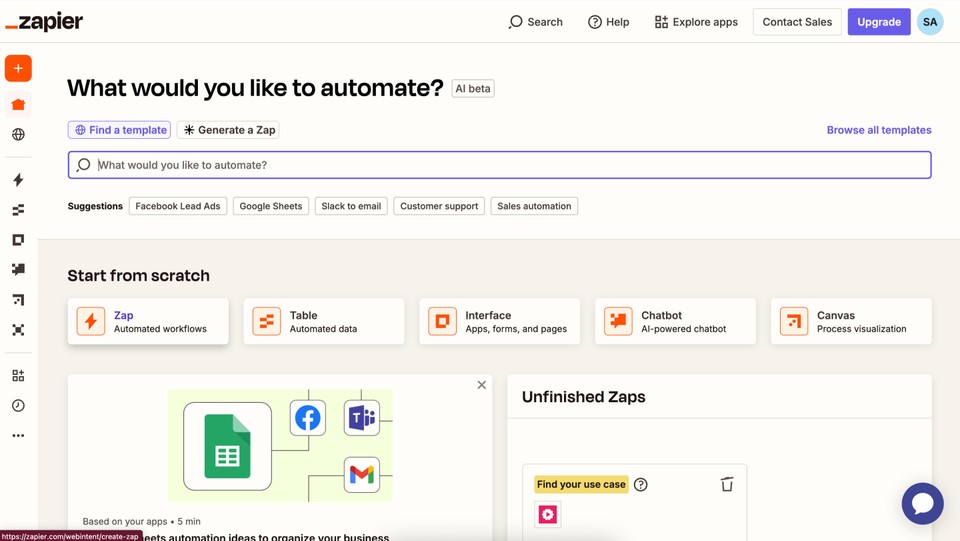
Zapier prioritizes extreme simplicity with a linear step-by-step setup: “When Event X happens in App 1, automatically do Event Y in App 2.”
-
Best For: Campaign managers, content specialists, and non-technical teams who need quick automations up and running within minutes.
-
Key Advantage: Broad app support with over 8,000 native integrations and guided step-by-step setup.
What Is Make?
Make functions as a visual flowchart builder. You build automations (called Scenarios) on an open visual canvas by dragging and dropping connected nodes, applying filters, and mapping data fields visually.
-
Best For: Marketing operations leads, growth engineers, and digital agencies building complex data pipelines.
-
Key Advantage: Advanced control over dynamic arrays, visual conditional logic (routers), webhooks, and custom error handling.
Pricing Comparison: How Tasks vs. Operations Impact Your Budget

Understanding how each tool charges is critical when scaling your automations.
| Feature / Metric | Zapier | Make |
| Billing Unit | Per Successful Task (Action Step) | Per Module Operation Credit |
| Starter Paid Tier | ~$19.99 – $29.99/mo (~750 Tasks) | ~$9.00 – $10.59/mo (~10,000 Ops) |
| 10,000 Actions Monthly | ~$129.00/mo (Professional Plan) | ~$9.00 – $12.00/mo (Core Plan) |
| App Library | 8,000+ Native Integrations | 2,000+ Native Integrations |
| Conditional Logic | Paths (Restricted by plan level) | Unlimited Routers & Filters |
| Data Array Loops | Loop by Zapier (Consumes Tasks) | Native Iterators & Aggregators |
The Real Cost Breakdown
-
Zapier’s Task Billing: Zapier charges for every action step that successfully executes. Trigger steps that find no data are free, but a 4-step action workflow triggered 2,500 times monthly consumes 10,000 tasks (costing ~$129/month).
-
Make’s Operation Billing: Make charges for every module execution within a visual scenario. However, because Make provides 10,000 operations for around $9 to $12 per month, it is often 5× to 10× cheaper for high-volume or multi-step processes.
5 Marketing Workflows Where Zapier Excels
-
Webform Submissions to Team Alerts
-
Workflow: Forminator or Typeform submission $\rightarrow$ Instant Slack message.
-
Why Zapier Wins: Simple two-step setup takes under two minutes with zero data formatting required.
-
-
Appointment Bookings to CRM Deal Syncing
-
Workflow: New Calendly booking $\rightarrow$ Create deal in HubSpot CRM.
-
Why Zapier Wins: Deep pre-built field mappings handle standard CRM parameters smoothly.
-
-
Transactional E-commerce Receipts
-
Workflow: Stripe payment completed $\rightarrow$ Dispatch receipt email via Postmark.
-
Why Zapier Wins: Built-in task retries ensure critical billing emails deliver reliably without silent drops.
-
-
Single-Step Lead Tagging
-
Workflow: New subscriber added in Mailchimp $\rightarrow$ Apply audience tag.
-
Why Zapier Wins: Straightforward two-step tasks are fast to deploy and easy for any team member to edit.
-
-
Personal & Team Productivity Syncs
-
Workflow: Starred email in Gmail $\rightarrow$ Create card in Trello, Asana, or Notion.
-
Why Zapier Wins: Stable authentication refresh tokens make personal productivity automations virtually maintenance-free.
-
5 Marketing Workflows Where Make Excels
-
Multi-Branch Lead Routing with Logic
-
Workflow: Lead submits webform. If location is US, send to Sales Team A; if EMEA, send to Sales Team B; if budget is high, alert leadership instantly.
-
Why Make Wins: Visual routers handle conditional rules inside a single scenario cleanly. Doing this in Zapier requires separate Zaps or multi-path structures.
-
-
Bulk Data Processing & Array Iteration
-
Workflow: Extract 200 stale leads from Google Sheets, update CRM statuses, and build tracking URLs.
-
Why Make Wins: Built-in Iterators loop through arrays within one execution run, protecting usage limits.
-
-
Custom Webhook Parsing & Data Formatting
-
Workflow: Receive raw JSON webhooks from web applications, transform text parameters, and dispatch payloads to target apps.
-
Why Make Wins: Native text, date, and math tools give full control over data transformations without custom code scripts.
-
-
Daily Multi-Channel Reporting Aggregation
-
Workflow: Fetch daily ad performance data from Meta Ads, Google Ads API, and GA4, merge arrays, and post a single report to Slack.
-
Why Make Wins: Aggregator modules easily combine disparate API data into clean summary messages.
-
-
High-Volume CRM Data Enrichment
-
Workflow: Process thousands of lead records monthly, clean phone formats, parse email domains, and write parameters back to the CRM.
-
Why Make Wins: Low per-operation unit pricing keeps operational expenses low as processing volume grows.
-
Decision Framework: Which Tool Should You Choose?
-
Choose Zapier If: Your team wants quick linear automations, depends on niche app integrations, and handles under 1,000 multi-step events per month.
-
Choose Make If: You need conditional branching, process large arrays of data, build webhooks, or want to save money on high monthly volumes.

SURBHI THAPA
Surbhi Thapa is an SEO specialist focused on SEO strategy and content optimization.
Surbhi Thapa is an SEO specialist focused on SEO strategy and content optimization.