





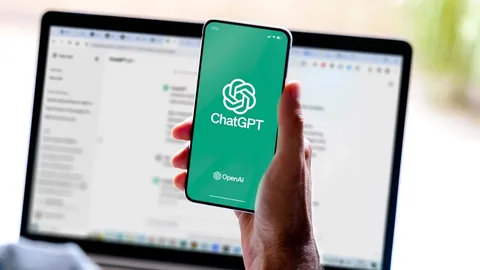
OpenAI rolled out Businesses in ChatGPT in beta on November 10, 2026. Instead of hoping AI crawlers pull accurate pricing or store details from old third-party directories, you can now claim and verify your company directly inside ChatGPT.
With ChatGPT reaching 1.2 billion weekly users, this launch creates a direct line between your brand and people actively looking for solutions. For website owners and marketers, getting listed early strengthens entity trust, improves brand accuracy, and supports long-term E-E-A-T.
What Is the ChatGPT Business Listing Feature?
Businesses in ChatGPT is OpenAI’s official brand directory and management portal, run through a new dashboard called Business Hub. Think of it as Google Business Profile or Bing Places, built specifically for conversational AI search.
When you claim your profile on the OpenAI Businesses in ChatGPT portal, you get access to three main tools:
-
Verified Brand Profile: Update your official description, website link, category, policies, and live product feeds so ChatGPT shares accurate facts. Passing full verification adds a blue checkmark next to your business name.
-
Aggregated Insights: Track how often ChatGPT mentions your brand, how many website clicks you receive, and which conversation topics trigger your listing over a 28-day window.
-
Business Agents (U.S. Beta): Eligible U.S. ecommerce and online service brands can build a custom AI assistant that answers product questions and guides buyers toward checkout right inside ChatGPT.
Why This Matters for SEO and E-E-A-T
People no longer rely only on blue links to research purchases they ask conversational tools to compare brands and recommend providers. Claiming your listing helps your website in four practical ways:
1. Real Entity Verification and E-E-A-T
After the Google November 2026 Core Update, proving that a real, accountable organization stands behind your website carries serious weight. Going through domain and identity verification with OpenAI adds an authoritative trust signal across the web, reinforcing your broader E-E-A-T strategy.
2. Zero Outdated Brand Info
Before Business Hub, ChatGPT pieced together company details from old web pages, forums, or third-party directories. Now, you can overwrite stale pricing, closed locations, or discontinued offers with verified first-party facts.
3. High-Intent Referral Traffic
Users who click your website link inside a ChatGPT conversation have usually already compared options and narrowed down their choices. They arrive on your site ready to buy or book, leading to stronger conversion rates than casual search visits.
4. Clear AI Visibility Data
Tracking zero-click brand mentions in Generative Engine Optimization (GEO) used to be pure guesswork. Business Hub’s Insights tab gives you real numbers on brand mentions and discovery themes data that pairs directly with your Google Search Console AI click data.
Important Note on Rankings: OpenAI explicitly states that claiming your profile or building a Business Agent does not buy or guarantee higher organic placement in ChatGPT answers. ChatGPT still makes independent recommendations, though accurate data helps the model match you with relevant buyer questions.
How to Claim Your Business in ChatGPT (Step-by-Step)
Setting up your profile is free and takes about 15 minutes. Follow these five steps to get verified:
Step 1: Match Your Public Brand Details
Check that your company name, website URL, contact email, and core descriptions match across your website, LinkedIn page, and Google Business Profile. Mismatched records can slow down manual reviews. Run through a quick technical SEO checklist to ensure your Organization schema and contact pages are clean.
Step 2: Open Business Hub
Sign in to your primary company OpenAI account and visit chatgpt.com/business-hub (or select Business Hub from the ChatGPT sidebar).
Step 3: Search for Your Existing Profile
OpenAI has already indexed millions of public companies. Type your brand name or domain into the search bar and select the matching profile to start your claim.
Step 4: Verify Ownership and Identity
OpenAI uses a two-step verification process to stop brand impersonation:
-
Claim Verification: Confirm ownership via your business phone (SMS or automated call), business email code, a DNS TXT record on your domain, or a direct Shopify store connection.
-
Persona Identity Check: Complete individual verification through Persona using a government-issued ID and business registration proof. Once approved, the blue checkmark goes live on your profile.
Step 5: Fill Out Your Profile and Product Feed
Write a clear, factual summary of what your business offers skip vague buzzwords. If you run an online store, connect your Shopify catalog or upload a product feed so ChatGPT can surface live pricing and stock status. To align your web pages with AI crawlers, read our guide on how to optimize your website for ChatGPT and Perplexity.
ChatGPT Business Hub vs. Google Business Profile
Both directories help customers discover your brand, but they serve different search habits. Here is how they stack up:
| Feature | ChatGPT Business Hub | Google Business Profile |
| Where Customers Find You | Conversational AI prompts & agent chats | Google Search, Google Maps & Local Pack |
| Best Fit For | Online brands, ecommerce, SaaS & service companies | Brick-and-mortar stores & local service areas |
| Interactive Tools | Custom Business Agents for product Q&A (U.S. beta) | Standard Q&A, booking links & messaging |
| Performance Analytics | Brand mentions, discovery topics & referral clicks | Search views, calls, direction requests & clicks |
| Cost | Free to claim, verify & view insights | Free to claim, verify & manage |
Using both platforms gives you complete coverage across traditional search and AI assistants an essential part of any modern local SEO and AI search strategy.
What Profit and ROI Will You Get?
Because claiming your listing costs nothing, the upside is straightforward:
-
First-Mover Advantage: Most competitors have not claimed their profiles yet. Getting verified early establishes clean entity records before your niche gets crowded.
-
Higher-Converting Visitors: Buyers coming from ChatGPT already understand your pricing and features, shortening your sales cycle.
-
Better Content Ideas: Seeing the exact “discovery topics” that trigger your brand tells you what real buyers ask helping you build stronger comparison pages on your site.
-
Brand Protection: Keeping your official policies and pricing updated stops AI tools from quoting outdated reviews or discontinued plans.
Frequently Asked Questions
Is ChatGPT Business Hub free to use?
Yes. Claiming your profile, verifying ownership, updating company details, and viewing Insights are all completely free. Paid costs only apply if you run sponsored placements through ChatGPT Ads.
Can businesses outside the U.S. get listed?
Yes. Eligible businesses with an active website in any region where ChatGPT operates can claim and verify their profile. However, interactive Business Agents are currently limited to eligible U.S. ecommerce and online service companies during beta.
Does OpenAI share customer chat transcripts with business owners?
No. To protect user privacy, OpenAI never shares individual chat transcripts. You only see aggregated mention counts, referral clicks, and broad discovery themes once conversation volume crosses a minimum threshold.

SURBHI THAPA
Surbhi Thapa is an SEO specialist focused on SEO strategy and content optimization.
Surbhi Thapa is an SEO specialist focused on SEO strategy and content optimization.