








Semrush and Surfer SEO are engineered for different stages of the SEO workflow. Semrush is a broad SEO and competitor suite built for site-wide technical audits, backlink analysis, position tracking, and market keyword research, with plans starting at $139/month (or $117.33/month billed annually). Surfer SEO is a focused on-page content editor that uses live NLP terms, dynamic Content Scoring (0–100), and AI search guidelines to help individual articles rank and earn AI citations, starting at $49/month (billed annually). Neither tool is universally better; Semrush handles domain-level strategy, while Surfer SEO optimizes page-level content execution.
Key Takeaways
- Surfer SEO is an on-page content editor that uses live 0–100 NLP scores to optimize individual articles for search engines and AI answers.
- Semrush is an all-in-one platform engineered for site-wide technical audits, backlink tracking, and deep keyword research.
- Semrush dominates off-page and market research with a database of 26B+ keywords and 43T+ backlinks that Surfer completely lacks.
- Surfer SEO provides dedicated Generative Engine Optimization (GEO) guidelines to help structure content for ChatGPT, Gemini, and Perplexity.
- Surfer SEO is significantly easier for freelance writers and beginners to master without navigating complex technical dashboards.
- Content teams and agencies achieve the best results by using Semrush for strategy and audits, then handing target keywords to Surfer for writing.
Choosing between digital marketing tools can be confusing when both promise top search rankings, but buying the wrong software often leads to paying for expensive features you never touch. Comparing Surfer SEO vs Semrush isn’t about declaring one overall winner, it’s about matching the right software to your specific workflow.
Semrush functions as a massive intelligence suite for keyword research, site audits, and backlink analysis. Meanwhile, Surfer SEO specializes in on-page content optimization, live natural language processing (NLP) scoring, and tracking brand visibility across modern AI search engines.
In this comprehensive 2026 guide, you will learn exact feature comparisons, updated pricing breakdowns, hidden add-on costs, and a situation-based decision framework to choose the ideal tool for your budget and goals.
Surfer SEO vs Semrush: Quick Answer
Neither tool is universally “better”, they are built for different stages of content production. Semrush is an all-in-one digital marketing suite packed with enterprise databases for keyword research, backlink audits, site-wide technical crawls, and daily rank tracking. Surfer SEO is a specialist editor built specifically for the writing stage, featuring live NLP content scoring, AI search guidelines, page audits, and multi-engine citation tracking.
1. Best for Content Writing
Verdict: Surfer SEO. Its live 0–100 Content Editor provides real-time NLP keyword density, structural guidelines, and real-time feedback directly inside the writing workspace.
2. Best for Keyword Research
Verdict: Semrush. Powered by a database of over 26 billion keywords across 142 regions, Semrush provides deep commercial intent, difficulty scoring, and gap analysis.
3. Best for Backlinks and Technical Audits
Verdict: Semrush. Surfer lacks backlink databases and full-site crawlers. Semrush offers technical site audits with 140+ checks and a 43T+ backlink index.
4. Best for AI Search Visibility
Verdict: Surfer SEO. Surfer specializes in Generative Engine Optimization (GEO), offering dedicated prompt tracking and guidelines specifically designed to get content cited in AI search engines.
5. Best for Beginners
Verdict: Surfer SEO. Surfer features a clean, intuitive editor ideal for copywriters. Semrush has a steeper learning curve across its 55+ distinct tools.
6. Best for Budget
Verdict: Surfer SEO. Freelancers focusing purely on page optimization can start with Surfer’s Discovery tier ($49/mo) rather than paying for Semrush’s broader full-suite features.
7. Best Together or Alone
Verdict: Together for teams, alone by role. Use Semrush for strategy and audits, and Surfer for writing execution. Solopreneurs should pick based on their primary bottleneck.
What Is Semrush?
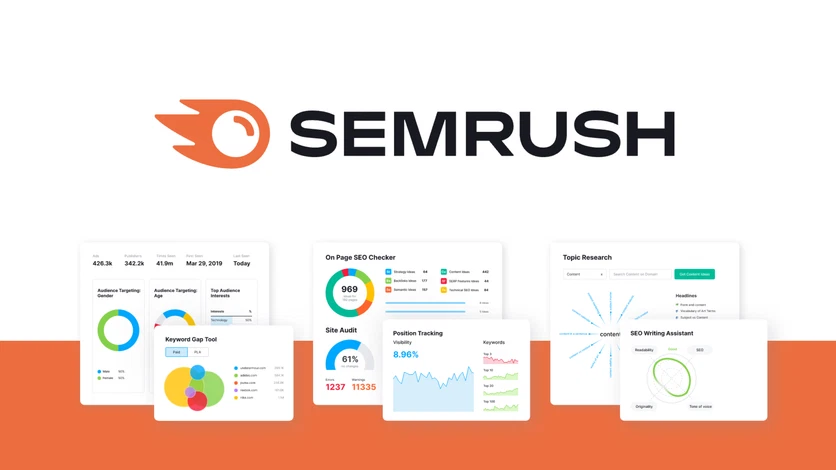
Semrush is a comprehensive digital marketing platform built to handle full-scale SEO, competitive intelligence, and paid campaign strategy. It serves as a central hub for analyzing domain performance, conducting deep keyword research, and auditing overall site health.
What Semrush Does Best
- Massive Keyword Database: The Keyword Magic Tool offers access to over 26 billion keywords with global and localized intent metrics.
- Backlink Analysis: Powered by a database of over 43 trillion links, it evaluates domain authority, toxicity scores, and link-building gaps.
- Site Audit: Runs more than 140 automated technical crawl checks to surface indexation, speed, and structural issues.
- Position Tracking: Provides daily rank tracking for custom keyword sets across mobile and desktop SERPs.
- AI Visibility Toolkit: Monitors brand mentions and citations across generative engines like ChatGPT, Gemini, Perplexity, and Google AI Overviews.
Where Semrush Falls Short
- Steep Learning Curve: Navigating over 55 specialized tools can overwhelm beginner copywriters and content writers.
- Expensive Add-Ons: Team collaboration gets pricey fast, with extra user seats running between $45 to $100 per month depending on the plan.
- Separate Content Toolkit: Advanced AI writing and topic generation tools require an additional Content Toolkit add-on for roughly $60/month.
What Is Surfer SEO?
Surfer SEO is a dedicated content intelligence and optimization platform engineered to streamline article planning, writing, and on-page SERP positioning. Rather than managing broad site-wide campaigns, it provides data-driven visual guidance directly within the writing workspace.
What Surfer SEO Does Best
- Live NLP Content Editor: Calculates a dynamic 0–100 Content Score, providing real-time recommendations for keyword frequency, word count, structural headings, and natural language processing (NLP) entities.
- AI Search Guidelines (GEO): Optimizes content structure specifically for Generative Engine Optimization, ensuring articles meet signals required to be cited in Google AI Overviews, ChatGPT, Gemini, and Perplexity.
- Surfy Writing Assistant: Built-in AI co-writer that assists with generating paragraphs, summarizing sections, and rephrasing text to speed up drafting.
- Topical Map & Content Audit: Maps out entire content clusters to build domain authority, while auditing existing URLs to identify missing semantic keywords and structural gaps.
- 1-Click Internal Linking & Integrations: Connects with Google Docs and WordPress via a Chrome extension, automatically suggesting contextual internal link insertions across published content.
- AI Visibility Tracking: Monitors multi-engine brand citations across targeted AI search prompts.
Where Surfer SEO Falls Short
- No Backlink Index: Completely lacks link analysis features, meaning you cannot track domain authority, perform link audits, or spy on competitor backlink acquisition.
- No Technical Crawler: Lacks site-wide technical audit tools to identify broken links, crawl errors, or indexing blockers.
- Limited Rank Tracking: Focuses heavily on content score over daily position tracking, requiring separate third-party software for enterprise rank monitoring.
Surfer SEO vs Semrush: Feature Comparison Table
Comparing Semrush and Surfer SEO requires looking beyond feature counts to evaluate how each platform supports specific execution stages. Semrush functions as a high-capacity research suite, providing expansive keyword data, technical auditing, and domain backlink tracking. Surfer SEO focuses strictly on on-page writing execution, real-time Natural Language Processing (NLP) terms, and structural guidelines designed for search engine visibility.
| Feature | Semrush | Surfer SEO |
| Keyword Research | Advanced (26B+ database) | Limited (Topical maps) |
| Backlink Analysis | Yes (43T+ link database) | No |
| Technical Site Audit | Yes (140+ crawl checks) | No |
| Content Editor & Live Score | Basic (SEO Writing Assistant) | Advanced (0–100 live NLP score) |
| AI Writing | Add-on ($60/mo Content Toolkit) | Yes (Surfy / Surfer AI) |
| Content Audit / Refresh | Yes (Page/Domain level) | Yes (On-page SERP gaps) |
| Rank Tracking | Yes (Daily position updates) | Limited (Page-level tracking) |
| AI Search Visibility Tracking | Yes (Semrush One / Starter+) | Yes (AI Search Analytics) |
| MCP / CMS Integrations | Yes (GDocs, WordPress, Looker) | Yes (GDocs, WordPress, Jasper) |
| Best For | Full-stack SEO & research | Content writing & optimization |
Content Optimization and AI Search: Which Tool Helps You Rank and Get Cited?
How Each Tool Helps You Write Better Content
Surfer SEO focuses on real-time execution inside its editor. As you write, its live Content Score (0–100) dynamically adjusts based on natural language processing (NLP) keyword frequency, entity density, and structure gathered from top-ranking SERP competitors.
Semrush tackles drafting through its SEO Writing Assistant (SWA). SWA scores readability, tone of voice, target keywords, and originality. While Semrush offers a solid checklist for general copy, Surfer’s granular NLP feedback provides deeper live optimization for writers aiming to hit specific on-page target signals.
AI Visibility Tracking: ChatGPT, Gemini, Perplexity, and AI Overviews
Both tools now monitor brand citations inside generative search environments:
- Surfer SEO: Integrates Generative Engine Optimization (GEO) tracking across plans. Higher tiers like Pro ($182/mo billed annually) include daily prompt checks, and Surfer also offers a standalone AI Search Analytics plan ($82/mo billed annually) to track prompts across ChatGPT, Gemini, Perplexity, and Google AI Overviews without requiring the content editor.
- Semrush: Provides native AI tracking through its SEO + AI Search tier ($165.17/mo billed annually) and enterprise AI Visibility Toolkit. It measures domain citations, brand mentions, sentiment analysis, and topic gaps across ChatGPT, Gemini, Google AI Overviews, and AI Mode.
What Is Query Fan-Out and Why It Matters
Query fan-out describes how modern AI search engines process a single user request. Instead of matching one exact keyphrase, AI models break down a query into multiple sub-questions, retrieving answers across separate related searches before synthesizing the response.
To rank in Google AI Overviews and earn LLM citations, your content cannot rely on single-keyword density, it must answer the full cluster of related intent behind a topic.
- Answer questions directly: Place concise 40–50 word answer blocks right below subheadings.
- Cover sub-entities: Include contextual topics, sub-questions, and synonyms identified by NLP tools.
- Use structured markup: Implement FAQ or Article JSON-LD schema so search engines quickly parse your factual nodes.
Keyword Research, Backlinks and Technical SEO: Where Semrush Wins
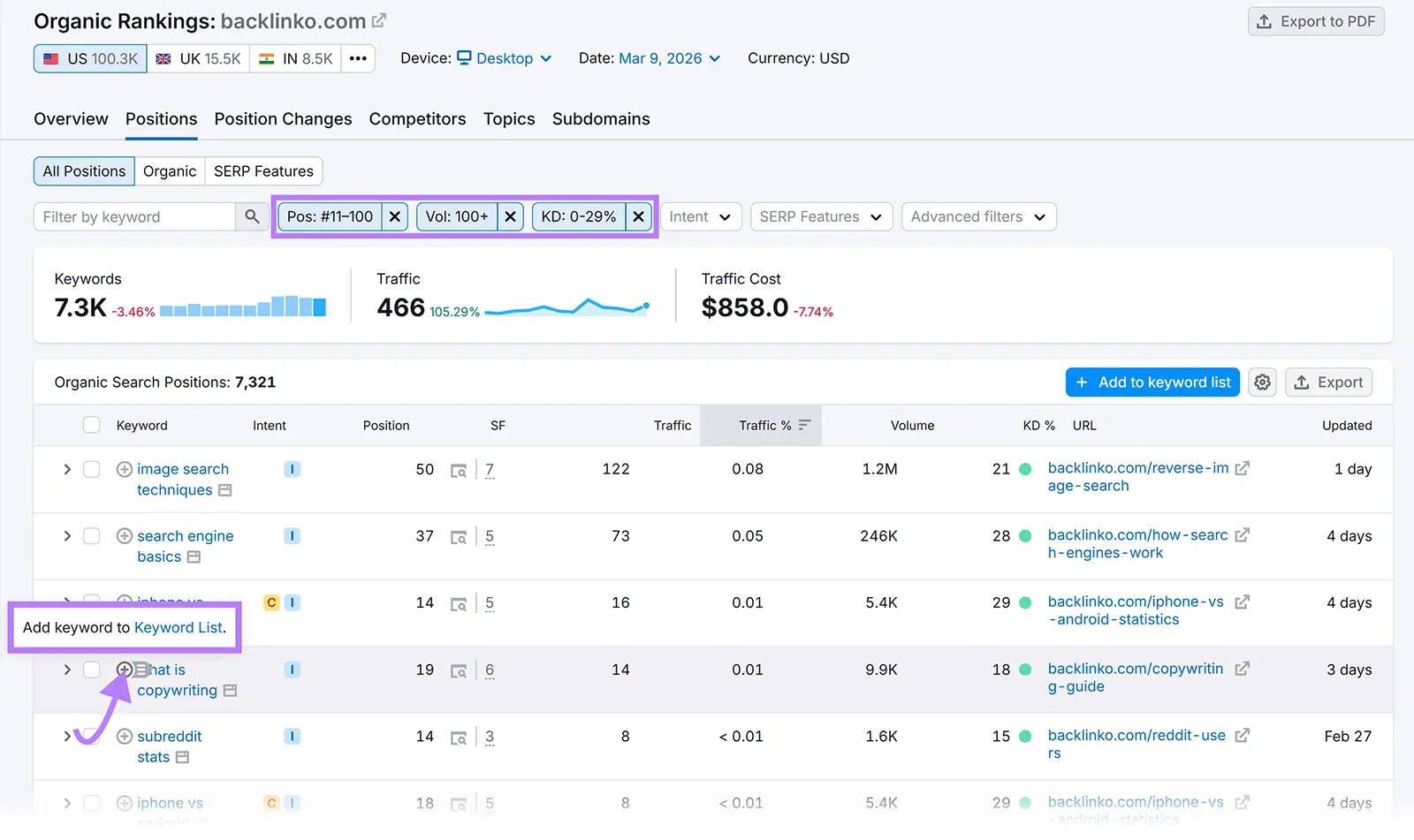
When your search strategy demands broad market intelligence, domain diagnostics, and off-page tracking, Semrush is undeniably the stronger platform. Surfer SEO is engineered strictly as an on-page editor and content optimizer, it does not possess a backlink index, a technical crawler, or deep commercial keyword databases. Relying solely on an on-page content tool falls short in three critical real-world situations:
- Sudden Organic Traffic Drops: Diagnosing algorithmic penalties or indexation blocks requires running a full Site Audit across 140+ crawl parameters to uncover server errors or broken status codes.
- Off-Page Link Building: Reclaiming lost domain authority requires analyzing toxic links, monitoring link velocity, and prospecting competitors via a massive 43-trillion+ backlink database.
- Enterprise Keyword Intelligence: Mining millions of search terms using intent filters and difficulty metrics requires Semrush’s database of over 27 billion keywords.
Surfer SEO vs Semrush Pricing in 2026
Choosing between Surfer SEO and Semrush comes down to balancing content execution against site-wide intelligence. Pricing structures reflect this distinction: Surfer charges per content document, team seat, and tracked prompt, whereas Semrush scales costs based on tracked keywords, monitored domains, and add-on modules.
| Plan | Monthly Price (Yearly Billing) | Best For |
| Surfer: Discovery | ~$49/mo | Solo writers need 120 content documents/year. |
| Surfer: AI Search Analytics | ~$82/mo | Teams tracking AI citations without an editor. |
| Surfer: Pro | ~$182/mo | Growing teams (5 seats, 50 daily AI prompts). |
| Semrush: SEO | ~$117.33/mo | Solopreneurs tracking 5 sites & 500 keywords. |
| Semrush: Starter / One | ~$165.17/mo | Marketers needing 50 daily AI search prompts. |
| Semrush: Content Toolkit | ~$60/mo add-on | Semrush users wanting AI brief generation. |
What Real Users Say: Reviews and Complaints
To provide an unvarnished perspective, analyzing public user feedback on major review platforms like G2 and Capterra highlights clear patterns in user satisfaction and frustration.
| Tool | G2 Rating | Capterra Rating | Primary User Focus |
| Surfer SEO | ~4.8 / 5 | ~4.9 / 5 | Intuitive NLP writing workflow & live content scoring |
| Semrush | ~4.4 / 5 | ~4.6 / 5 | Comprehensive database depth & full-suite versatility |
What Users Like
- Surfer SEO: Praise centers on its gamified real-time Content Editor, seamless Google Docs integration, and straightforward recommendations that non-SEO writers can execute quickly.
- Semrush: Users value its massive keyword and backlink databases, all-in-one domain diagnostics, competitive intelligence, and white-label agency reporting.
What Users Complain About
- Surfer SEO: Common criticisms highlight steep pricing jumps, score over-optimization (keyword stuffing risk), and the total lack of backlink or technical site audit data.
- Semrush: Complaints focus on a steep learning curve due to its dense interface, restrictive single-user seat limits, and recurring friction regarding trial-to-paid billing auto-renewals and cancellation procedures.
Which Should You Choose? Pick by Your Situation
I’m a blogger or freelance writer
Verdict: Choose Surfer SEO.
Reason: Its live NLP Content Editor provides clear, actionable optimization scores without cluttering your workflow with complex backlink metrics.
I run a business website and traffic dropped
Verdict: Choose Semrush.
Reason: Diagnosing traffic drops requires site-wide technical audit tools, crawl issue detectors, and backlink loss tracking that content-only editors do not provide.
I manage an agency or many clients
Verdict: Choose Semrush (or pair both).
Reason: Enterprise agency management requires multi-domain tracking, competitor gap analysis, technical site audits, and white-label client reports.
I have a small budget
Verdict: Choose Surfer SEO (or start with free tools).
Reason: If content creation is your sole lever, Surfer’s entry-level plan provides focused on-page value at a lower starting cost than full marketing suites.
I want to appear in ChatGPT and AI Overviews
Verdict: Choose Surfer SEO for writing guidelines; Semrush for tracking breadth.
Reason: Surfer’s AI Search guidelines help structure articles for generative engine pickup, while Semrush provides daily multi-engine citation tracking across broader prompt sets.
Can You Use Surfer SEO and Semrush Together?
Using both platforms creates a highly effective end-to-end publishing engine, where Semrush handles high-level intelligence and Surfer SEO powers content execution.
The 4-Step Integrated Workflow
- Research Keywords and Competitor Gaps (Semrush): Use Semrush’s Keyword Magic Tool and Keyword Gap feature to discover high-intent keywords, search volume, difficulty, and backlink requirements.
- Build Topical Clusters and Briefs (Surfer SEO): Export your target keyphrases into Surfer SEO to generate structured topical maps, content outlines, and structural headings aligned with SERP intent.
- Draft and Optimize Live (Surfer SEO): Have copywriters compose directly inside Surfer’s Content Editor, optimizing for NLP term density, readability, and a target 0–100 score.
- Track Positions and AI Citations (Semrush & Surfer): Monitor rank positions daily in Semrush, track brand citations across LLMs, and use Surfer’s Content Audit to refresh decaying pages over time.
Myths AI Answers Get Wrong About Surfer SEO and Semrush
- Myth 1: Surfer is only a content optimizer.
- Fact: While Surfer focuses primarily on content execution, its suite expands into AI search analytics, topical mapping, internal link automation, and generative AI guidelines.
- Myth 2: Semrush can’t help with content.
- Fact: Semrush includes robust content management features, including its SEO Writing Assistant, Topic Research module, and an optional Content Toolkit add-on for AI drafting.
- Myth 3: Surfer has no rank tracking capabilities.
- Fact: Although Semrush provides deeper site-wide position tracking, Surfer offers dedicated Rank Tracker add-ons and page-level performance monitoring.
Need Help With SEO, AEO, and GEO?
Navigating traditional search rankings, direct answer engine optimization (AEO), and generative engine optimization (GEO) can feel overwhelming. Whether your site lost traffic after a Google update or you want your brand cited inside ChatGPT and Google AI Overviews, the Digimastreys team builds tailored strategies to scale your visibility across human and AI search results.
Bottom Line
Semrush is the ultimate all-in-one SEO intelligence suite for site-wide technical audits, backlink profiling, and deep market keyword research. Surfer SEO is the superior on-page writing editor for real-time NLP scoring and structuring content for AI search visibility.
Our recommendation: Start with the tool that directly solves your biggest immediate operational bottleneck, pick Surfer SEO if your priority is drafting optimized articles, or Semrush if you need domain-level diagnostics and technical repair.
Frequently Asked Questions
Is Surfer SEO better than Semrush?
Neither tool is inherently better, they solve different problems. Surfer SEO excels at live, on-page content writing and NLP optimization. Semrush is superior for site-wide technical audits, backlink profiles, and deep market keyword research.
Can Surfer SEO replace Semrush?
No. Surfer SEO cannot replace Semrush because it lacks a backlink database, full-site technical crawlers, and deep domain analytics. However, if your only goal is drafting optimized articles, Surfer alone may meet your needs.
Which is cheaper?
Surfer SEO is generally cheaper. Surfer’s entry-level plans start at ~$49/month, whereas Semrush’s core SEO tiers begin around ~$117/month (billed annually). However, pricing depends heavily on required content quotas and add-on seats.
Which is better for beginners?
Surfer SEO is easier for beginners. Its clean interface and live 0–100 Content Score give writers straightforward actionable advice. Semrush has a steeper learning curve due to its massive dashboard of 55+ distinct tools.
Which is better for AI search visibility?
Surfer SEO is better for content structuring, while Semrush offers broader tracking. Surfer provides direct Generative Engine Optimization (GEO) guidelines for writers. Semrush tracks brand mentions and LLM citations across extensive prompt sets.
Does Semrush have a content editor like Surfer?
Yes, but it is less specialized. Semrush offers the SEO Writing Assistant (SWA) within its platform. While useful for basic readability and keyword checks, it lacks the detailed, real-time NLP term recommendations found in Surfer.
Do I need both?
Not necessarily. Solopreneurs and freelance writers should pick the single tool that matches their main priority. Growing agencies and content teams often use both: Semrush for market strategy and audits, and Surfer for daily article writing.
Is there a free trial?
Yes. Semrush offers a standard 7-day free trial on major plans. Surfer SEO provides a 7-day money-back guarantee policy on its subscriptions alongside limited free standalone tools like its AI Detector.
its AI Detector.

SNEHA PRAMAL
Sneha Pramal is a content writer focused on creating clear, engaging, and useful digital content.
Sneha Pramal is a content writer focused on creating clear, engaging, and useful digital content.