










When you are managing multiple social media accounts, trying to keep a consistent posting schedule can quickly become overwhelming. Whether you are an independent creator, a growing startup, or an enterprise marketing team, having the right social media management tool is essential for streamlining your workflow, tracking analytics, and growing your audience.
Two names consistently dominate the conversation: Buffer and Hootsuite. While both are heavyweights in the social media management space, they cater to very different audiences and feature vastly different philosophies. If you are looking to scale your online presence, choosing the right tool also means aligning your strategy with modern Generative Engine Optimization (GEO) and automated workflows (such as connecting your tools via Make vs. Zapier).
We take an in-depth look at how Buffer and Hootsuite stack up against each other across pricing, collaboration, analytics, AI capabilities, and customer support to help you decide which one belongs in your digital marketing stack.
Buffer vs. Hootsuite: At a Glance
| Feature | Buffer | Hootsuite |
| Pricing & Plans | Free plan available (3 channels, 10 posts/channel). Paid plans start at $5/month/channel. | No free plan. Paid plans start at $99/user/month for 10 accounts. |
| Engagement & Inbox | Centered around comment moderation; does not handle DMs or full customer service routing. | Robust unified inbox (Nest) for managing DMs, comments, agent routing, and Zendesk-style workflows. |
| Scheduling & Posting | Clean, straightforward scheduling and auto-publishing; includes a built-in Link-in-Bio tool (Start Page). | Advanced auto-scheduling, bulk scheduling, and native integrations with Canva and Adobe Express. |
| Analytics & Reporting | Clean dashboards (Insights) with actionable, practical recommendations. | Highly detailed, customizable reports with deep competitor benchmarking and social score tracking. |
| Team Collaboration | Unlimited users on Team plans with simple approval workflows. | Per-seat pricing with granular, role-based permissions across organizations, teams, and channels. |
| Social Listening | None. | Powerful tool (Lumen) covering over 150 million websites and 30+ social channels. |
| AI Features | Simple AI assistant for drafting, shortening, and expanding captions. | Platform-wide AI layer (Wisdom) for strategy, trend analysis, bulk drafting, and agent workflows. |
| Ecosystem & Integrations | 20+ direct integrations, plus robust Zapier and MCP server support. | 100+ direct integrations, plus robust Zapier and MCP server support. |
1. Target Audience: Small Teams vs. Enterprise Organizations

The core philosophical difference between Buffer and Hootsuite boils down to who they are built for:
-
Buffer is designed for creators, solopreneurs, and small businesses. It prioritizes speed, simplicity, and low cost. You can set up your accounts and start scheduling posts in minutes without having to watch a single tutorial. For tips on structuring your daily content across platforms, check out our guide on social media content calendars.
-
Hootsuite positions itself as a comprehensive “Social Operating System” built for mid-sized to enterprise-level organizations. It is built to handle complex workflows, regulatory compliance, multi-tiered team approvals, and heavy customer service demands.
2. Pricing and Value
If budget is a primary factor in your decision, the choice becomes clear very quickly:
-
Buffer offers one of the most generous Free plans in the industry, letting you connect up to 3 social channels and queue 10 scheduled posts per channel. Its paid plans are budget-friendly, starting at just $5/month/channel, and its Team plan ($10/month/channel) offers unlimited users.
-
Hootsuite does not offer a free plan. Its entry-level plans start at $99/month (billed annually) for a single user managing up to 10 social accounts. Because Hootsuite uses a per-seat pricing model, adding team members, clients, or freelancers can quickly cause subscription costs to balloon.
3. Content Scheduling and Publishing
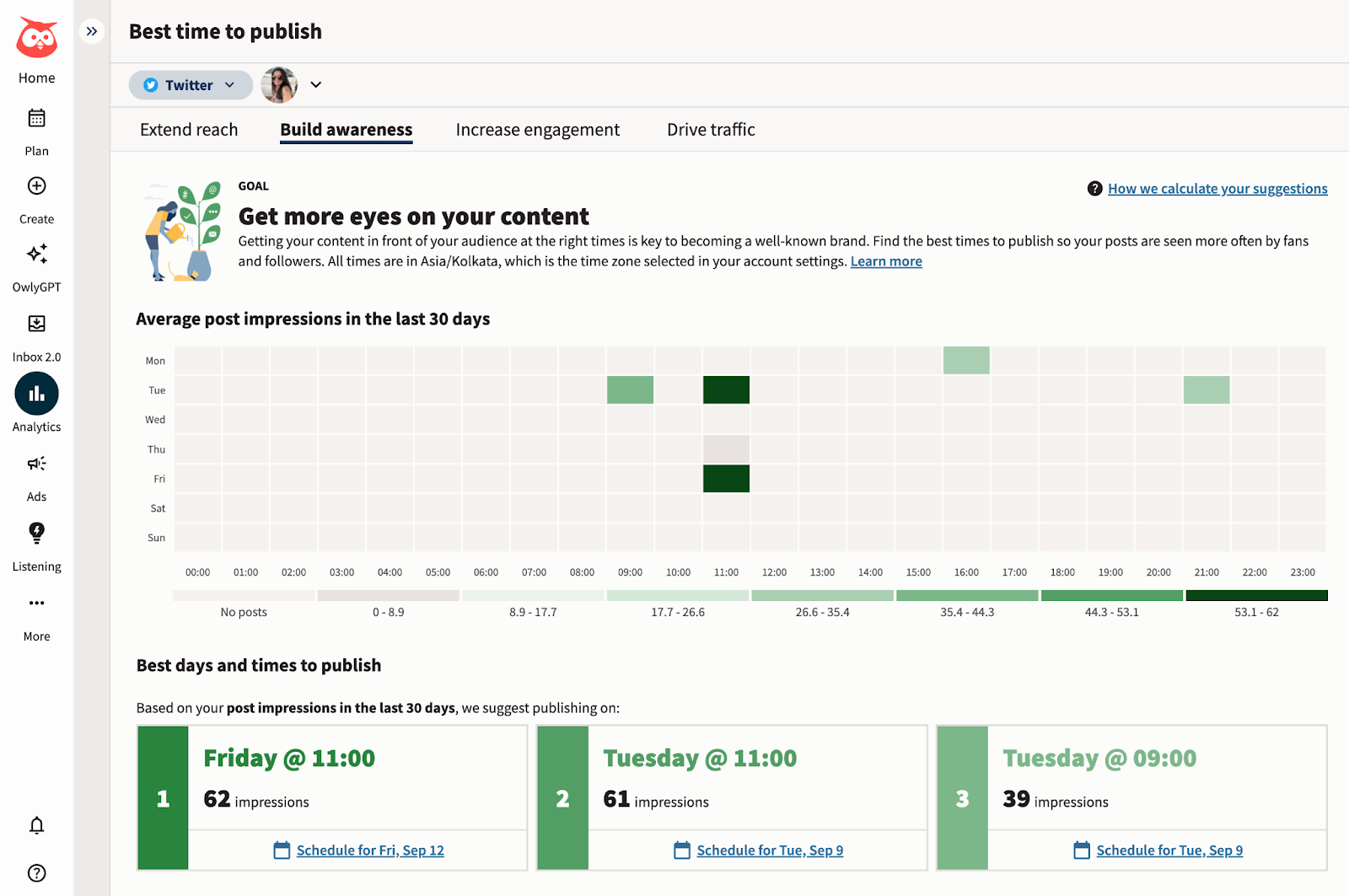
Both platforms excel at the fundamentals of getting your content onto social media, but they approach the workflow differently:
-
Buffer uses a clean, visual Kanban-style interface for organizing your content ideas (Create), a reliable publishing queue (Publish), and a handy built-in “Start Page” feature that lets you build a custom link-in-bio landing page in minutes.
-
Hootsuite shines when dealing with high-volume publishing. It supports bulk scheduling via CSV uploads and includes direct integrations with design platforms like Canva and Adobe Express, letting you design and schedule visuals without leaving your tab.
4. Analytics and Social Listening
-
Buffer (Insights): Buffer’s analytics suite gives you clear, digestible charts covering impressions, reach, follower growth, and engagement. It also provides automated recommendations such as highlighting a top-performing post and suggesting that you reshare it.
-
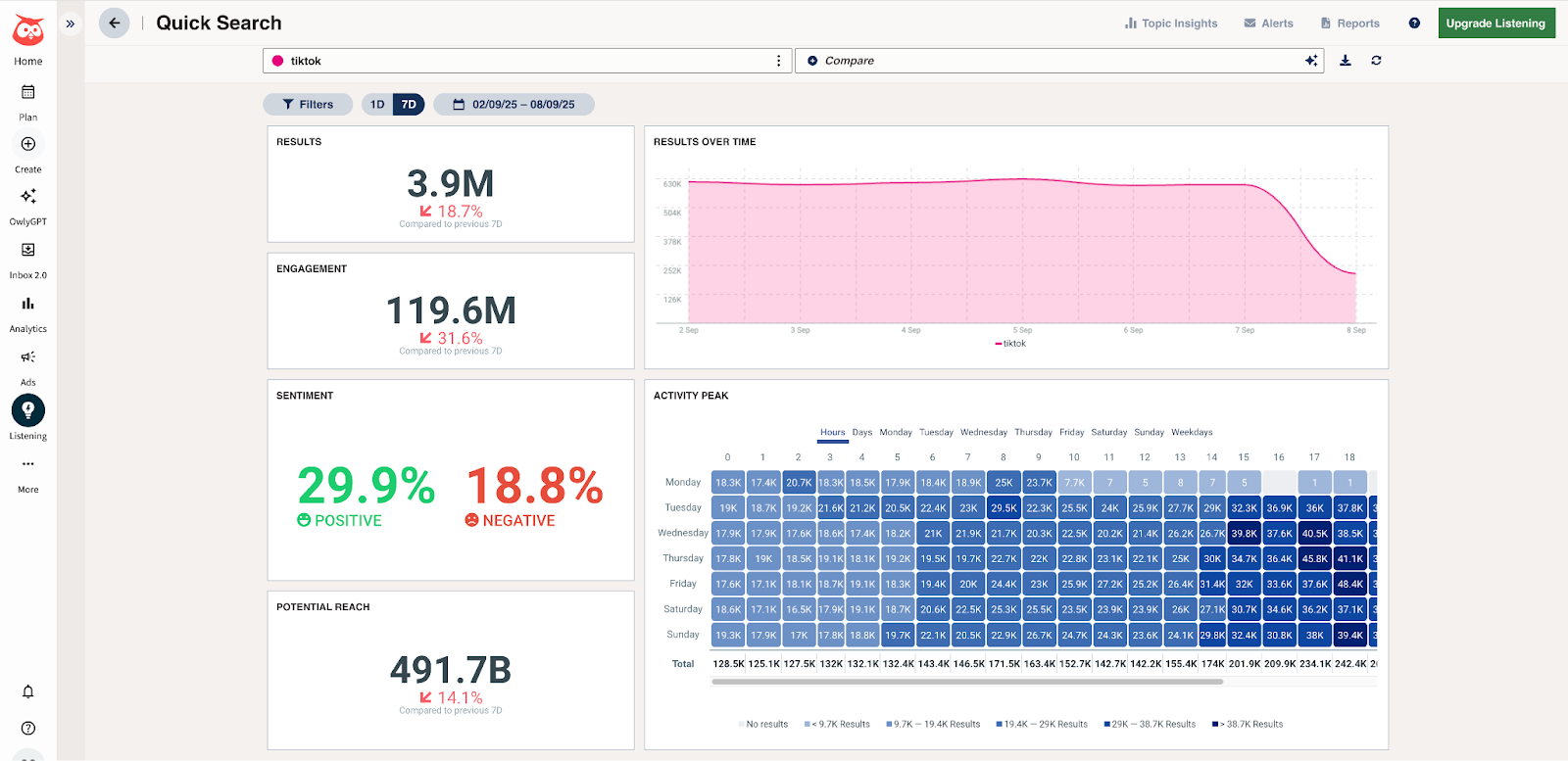
Hootsuite (Advanced Reports & Lumen): Hootsuite offers much deeper reporting capabilities. It assigns your profiles a consolidated “Social Score” and gives you robust competitor and industry benchmarking tools. More importantly, Hootsuite includes Lumen, a powerful social listening tool that monitors sentiment, demographics, and brand mentions across more than 150 million websites and 30+ social networks. Buffer does not offer a native social listening solution. For broader tips on tracking visibility across modern discovery engines, see how brands leverage AI visibility tools.
5. Team Collaboration and Permissions
-
Buffer keeps collaboration frictionless. On the Team plan, you can add as many team members, editors, or clients as you want without paying extra. Permissions are straightforward (Admin, Full Access, or Approval Required). However, it lacks granular controls—you cannot easily restrict a user to only viewing analytics without giving them broader access.
-
Hootsuite is built for large, segmented teams. You can set up granular permissions across three distinct tiers: organization, team, and specific social channel. While this is ideal for larger companies with strict compliance needs, the per-seat pricing model makes collaboration expensive.
6. AI Capabilities
-
Buffer’s AI Assistant is simple and focused. It acts as a helpful writing buddy inside the composer, letting you quickly generate post ideas, rephrase copy, or lengthen and shorten your captions.
-
Hootsuite’s Wisdom AI is a platform-wide generative layer. Powered by deep social data, Wisdom can assist with broader marketing tasks, such as spotting emerging trends, drafting weeks of content from a single prompt, analyzing competitor strategies, and synthesizing social listening data into actionable insights. To dive deeper into how automated platforms and modern workflows are shifting content creation, review our insights on the future of digital marketing and AI.
7. Customer Service and Inbox Management
-
Hootsuite is built with customer service workflows in mind via its Nest inbox. It acts like a helpdesk tool (similar to Zendesk), allowing teams to manage DMs, route customer complaints to specific representatives, assign tickets, and track resolution statuses.
-
Buffer offers a Community tab designed to help you reply to comments and moderate conversations across your posts, but it does not support direct message (DM) management or full customer service routing. If handling customer support queries via social channels is a core part of your business operations, Hootsuite is the clear winner.
Final Verdict: Which One Should You Choose?
Choose Buffer if:
-
You are a solopreneur, creator, or part of a small marketing team.
-
You are operating on a tight budget and want a reliable free plan or affordable per-channel pricing.
-
You value simplicity, speed, and a clean interface with virtually zero learning curve.
-
You do not need advanced social listening, multi-tiered enterprise approvals, or a dedicated social customer service inbox.
Choose Hootsuite if:
-
You are managing marketing operations for a large enterprise, agency, or regulated organization.
-
Customer service and direct message management via social channels are central to your daily operations.
-
You need robust social listening tools (
Lumen) to track brand sentiment, industry trends, and competitor activity. -
You require granular, role-based permission settings and complex internal review workflows.

SURBHI THAPA
Surbhi Thapa is an SEO specialist focused on SEO strategy and content optimization.
Surbhi Thapa is an SEO specialist focused on SEO strategy and content optimization.